- Reboot your computer before installation
- Run the RivCross 5.0.5b installer
- During installation you will see a list of prerequisites that must be installed.
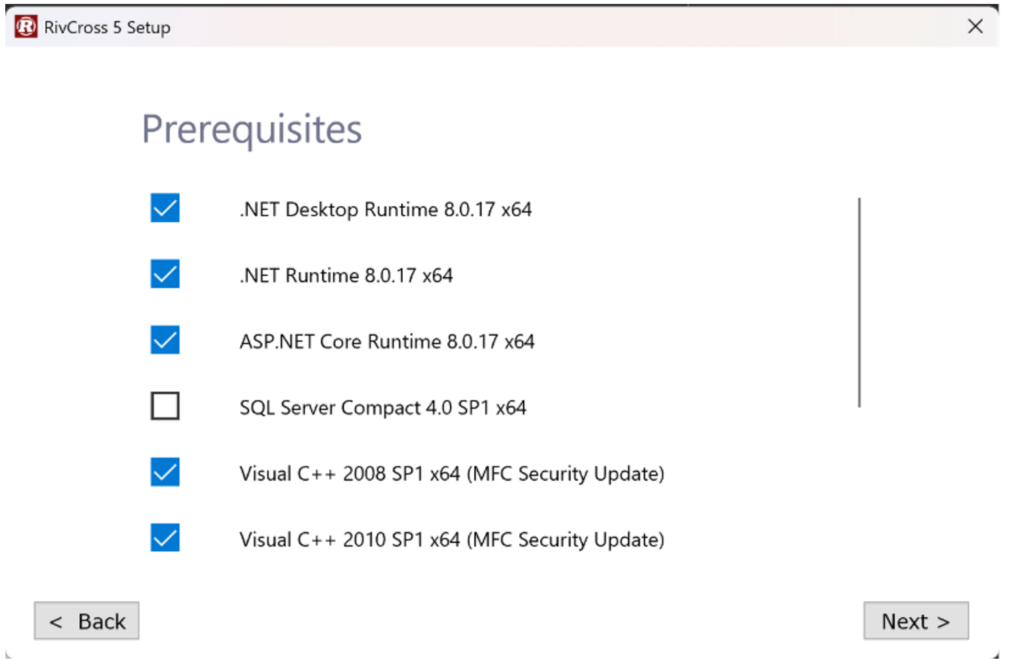
- If you need the ability to upgrade jobs from 4.9.9v3c to 5.0.5 select SQL Server Compact 4.0 SP1 x64.
- Should your installation fail twice, uncheck the SQL Server Compact 4.0 SP1 x64 box and move forward with the installation process.
- Your computer will reboot automatically after installation of prerequisites.
- RivCross 5.0.5 installer will reopen after automatic reboot
- After the installation is complete, run RivCross 5.0.5
- Create a new job or open an existing job
- Open the Plan View
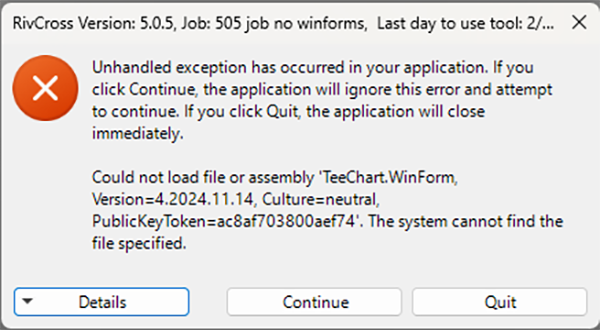
- If opening the Plan View causes the Unhandled Exception below, quit RivCross, run a repair installation of RivCross and then reboot
- During installation you will see a list of prerequisites that must be installed.